
Introduction to Electron AI
Electron AI · Updated November 25, 2025
Introduction to Electron AI Assistant and Agents
Welcome to Electron, Reactor Data’s intelligent assistant and AI agent suite designed to simplify and accelerate your work across data mappings, source connections, native expression language, field-level Python code, and data lineage tracing.
Whether you're mapping complex data pipelines, writing native expression transformations, or simply trying to understand where your data came from, Electron is your always-on helper, ready to assist—no code required.
What is Electron?
Electron is Reactor’s built-in, autonomous AI assistant, designed to help you interact with your data pipeline through natural language. It understands your data mappings, sources, and native expression functions, and it works in tandem with three specialized agents to take real action inside the Reactor platform.
How Electron Works: One Assistant, Multiple Smart Agents
Electron Assistant
Your central AI guide in Reactor. You can ask Electron to:
- List your mappings and show their details.
- List your data sources, including IDs, names, schedules, and endpoints.
- Provide native expression language documentation across all categories, including date and time functions, math functions, and more.
- Modify mappings by passing requests to specialized agents.
Example prompts:
- “List all my sources.”
- “What are the available native expression STRING functions?”
- “Update the mapping expression for
order_total.”
When you need more action, Electron routes it to one of its specialized agents below.
Electron Mappings Agent
This agent specializes in editing and refining existing mappings.
Use it to:
- Update native expressions or field-level Python code inside a mapping.
- Fix errors in logic or syntax.
- Add or edit descriptions to improve documentation and readability.
It is perfect for teams needing to maintain or iterate on existing mapping logic without manual rewriting.
Electron Mapping Generator Agent
Also called the "Bulk Mapping Agent." Need to map a data source directly to a destination table without modeling in between? That’s where this agent shines.
Use cases:
- Simple passthrough mappings (source → table).
- Data migration prototypes.
- Rapid onboarding of new sources.
It’s ideal when speed and simplicity are the top priority.
Electron Data Lineage Agent
Have questions about how a field is calculated, transformed, or populated? This agent traces data from source to output.
Use it to:
- Understand how a specific native expression works.
- Trace the origin and transformations of any field.
- Debug unexpected values by following the data path.
It’s like a built-in data detective for your pipeline.
Electron Copy-Mapping Agent
This agent facilitates copying an existing mapping to use with different sources (e.g., copying the mapping configuration from "Stripe US" to "Stripe CA").
Electron Output Agent
Use this agent to update or edit any aspect of an output configuration within the Mappings UI, including output filter expressions and output iterator expressions.
What Can You Do with Electron?
Task |
Use Electron To... |
Agent Involved |
Explore data sources |
List all sources, see IDs, endpoints, schedules |
Assistant |
View or edit mappings |
List and update mappings and field descriptions |
Assistant → Mappings Agent |
Generate new mapping from source to table |
Auto-map fields with minimal logic |
Mapping Generator Agent |
Trace a field’s logic |
Understand and debug field transformations |
Data Lineage Agent |
Browse Reactor's native expression functions |
View categorized documentation |
Assistant |
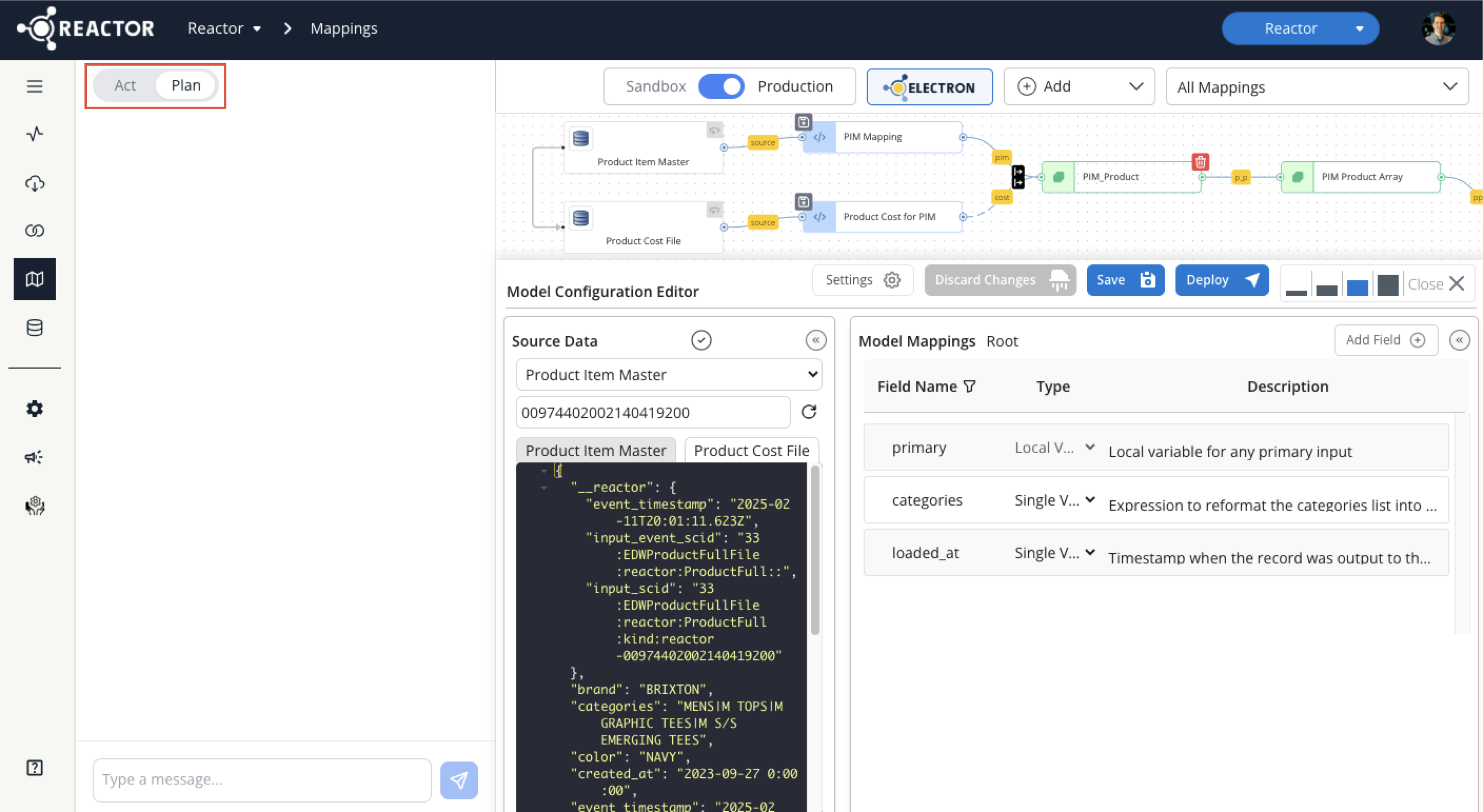
Act vs. Plan Toggle
Electron operates with a "Plan" and "Act" mode, allowing you to control its execution of tasks. In "Plan Mode," Electron will analyze your request, gather necessary information, and propose a detailed plan of action, including asking clarifying questions and suggesting approaches. This is the "research and strategy" phase, where no changes are executed. Once you are satisfied with the plan, you can switch to "Act Mode." In "Act Mode," Electron will proceed to execute the plan, utilizing its specialized agents to perform the requested changes, such as updating mappings or modifying outputs. This allows users to collaborate with the assistant to develop a preferred plan before initiating any changes.
Get Started
You can talk to Electron just like you would a teammate:
- “Show me the native expression functions for DATE_AND_TIME.”
- “Update the discount calculation in the orders mapping.”
- “Create a new mapping from Shopify orders into the raw_orders table.”
- Electron handles the rest—automatically invoking the right tools behind the scenes.
Electron and its agents are here to make your data work easier, faster, and smarter. Start exploring, and let Electron do the heavy lifting.